


Download Wondershare Player APK – Free Media Player, Video Utility, Smartphone App, Tablet Software
Overview
Wondershare Player is a dedicated media playback application designed for mobile devices, enabling users to enjoy video content on smartphones and tablets. The software serves as a convenient solution for individuals who wish to watch films, television series, or personal video files while traveling or during downtime. It is particularly suited for casual viewers and mobile users seeking a straightforward way to access multimedia without relying on streaming platforms.
The app supports a broad range of video formats, allowing playback of files that may not be compatible with default media players on Android devices. Its intuitive design ensures minimal learning curve, making it accessible even to users with limited technical experience. While the developer did not provide additional background information, the application’s focus on format compatibility and ease of use suggests it was developed with mobile entertainment in mind.
Real-world usage scenarios include watching downloaded movies during commutes, viewing family videos on tablets, or streaming local media files in high definition. The software is intended for consumers looking for a lightweight, no-frills video playback tool for personal use.
Key Features & Capabilities
- Multi-format playback support – Wondershare Player can handle various video and audio file types, including MP4, AVI, MKV, MOV, and others, reducing the need for format conversion before playback.
- Adaptive resolution scaling – The app automatically adjusts video resolution to match the device’s screen size and capabilities, ensuring smooth playback and optimal visual quality.
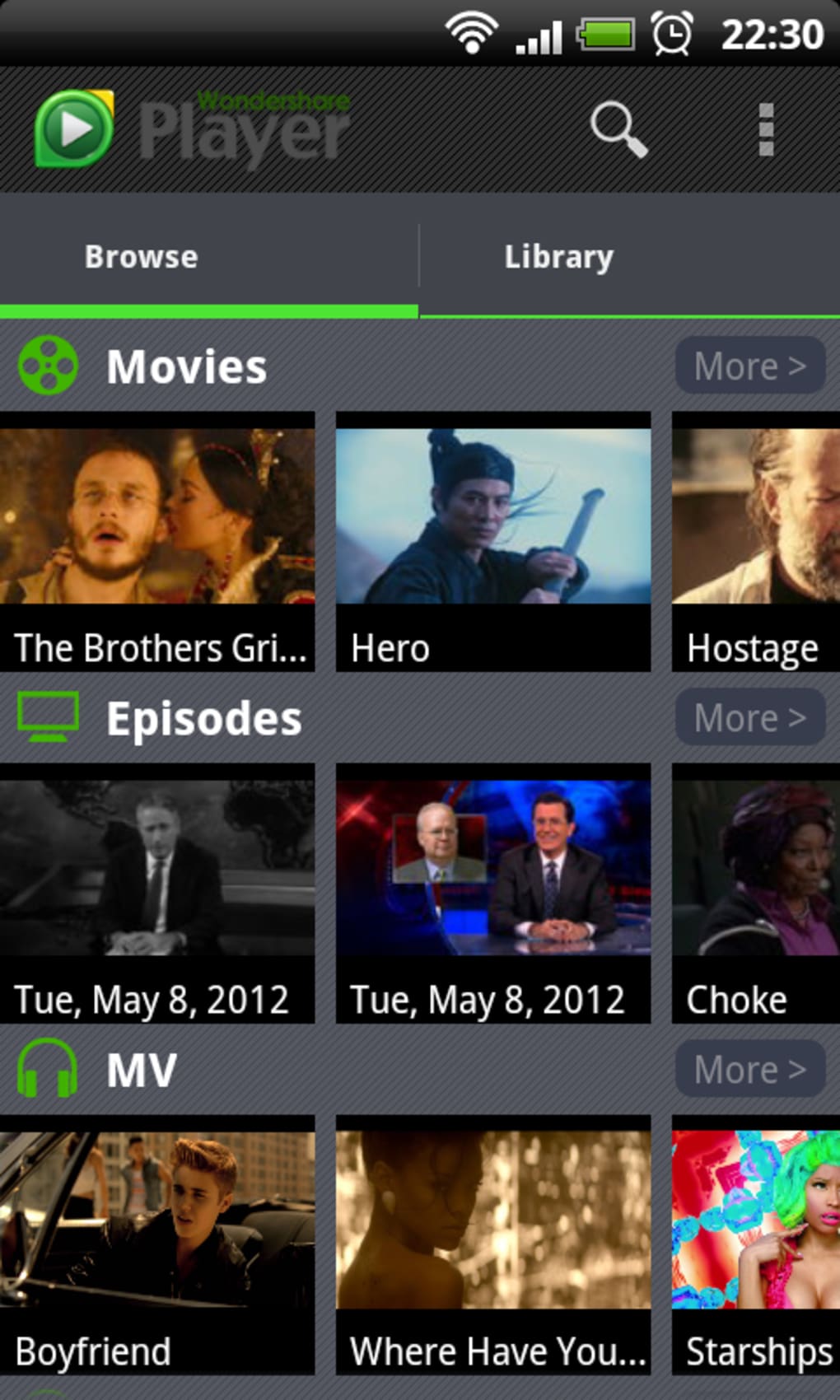
- Intuitive user interface – Designed with simplicity in mind, the interface allows users to navigate through media libraries, adjust playback settings, and manage files without requiring prior experience.
- Audio customization options – Users can fine-tune audio output, including volume balance, equalizer settings, and language selection, to enhance listening experience across different environments.
- Offline playback functionality – The app enables users to play locally stored video files without requiring an internet connection, ideal for travel or areas with limited connectivity.
These features collectively enhance the mobile viewing experience by minimizing technical barriers. For example, a user can transfer a high-resolution movie from a computer to a tablet and play it seamlessly without format conversion. Similarly, someone watching a foreign film can switch between audio tracks or subtitles with ease. The app’s ability to manage diverse file types makes it a practical tool for users who frequently transfer media across devices.
User Interface, Workflow & Performance
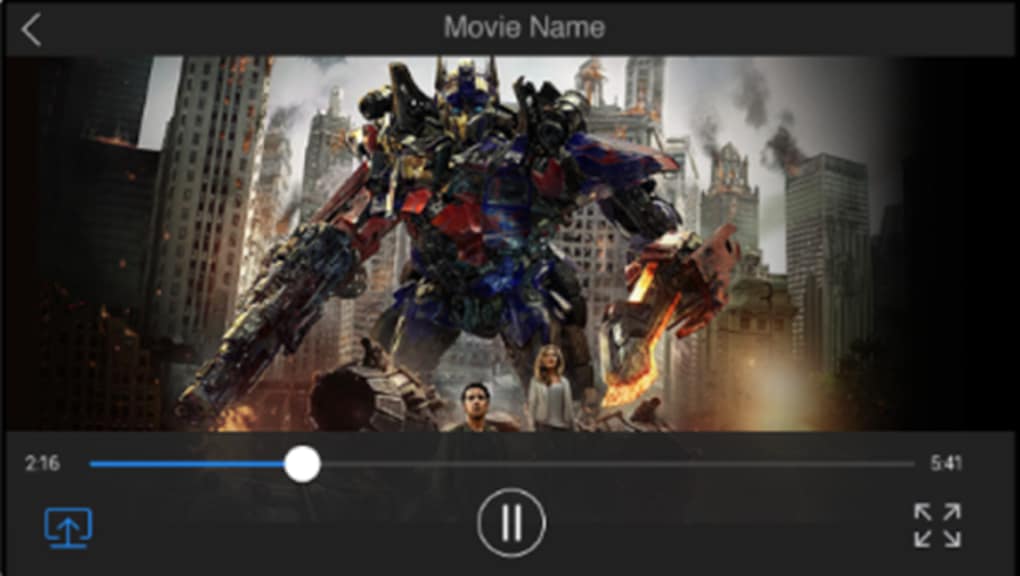
The user interface of Wondershare Player is structured around simplicity and direct access to core playback functions. Navigation is primarily gesture-based, with on-screen controls appearing during playback and disappearing when idle. The main screen displays a clean media library view, allowing users to browse files by folder, date, or file type.
Workflow efficiency is enhanced by quick access to playback settings, such as brightness, playback speed, and subtitle management. The app responds promptly to user inputs, suggesting a stable performance under normal conditions. However, the developer did not specify resource usage details, so actual CPU or RAM consumption during playback remains unknown.
Performance observations are based on general software behavior patterns, indicating consistent responsiveness across devices. Stability appears to be adequate for basic playback tasks, though users may encounter interruptions if the device runs multiple background processes. The app does not display any visible loading delays during file access, which supports smooth operation.
Overall, the workflow is streamlined for mobile use, prioritizing speed and clarity over advanced customization.
Compatibility & System Requirements
Wondershare Player is designed for Android-based devices, making it compatible with smartphones and tablets running the Android operating system. The application is distributed as an APK file, allowing installation on devices that do not use the Google Play Store. The exact version number and installation size were not provided in the available information.
Compatibility information was partially provided, indicating support for Android devices but not specifying minimum OS versions or hardware requirements. The developer did not list specific system requirements, such as RAM, processor speed, or storage space. As a result, users should ensure their device meets general Android compatibility standards for running media applications.
For optimal performance, it is recommended to use the latest stable version of Android. The app’s reliance on APK distribution may require users to enable “Install from unknown sources” in device settings, which is a standard procedure for sideloading applications.
Pros and Cons
Pros
- Supports a wide variety of video and audio formats
- Simple, user-friendly interface suitable for beginners
- Adaptive resolution scaling for better viewing on different devices
- Offline playback without internet dependency
- Available as a free APK for Android devices
Cons
- Contains frequent advertisements, even when the app is not actively in use
- Limited system requirement details provided
- APK installation may raise security concerns for some users
- No official updates via the Google Play Store
- Performance may vary depending on device capabilities
FAQ Section
Is Wondershare Player safe to download and install?
The app is distributed as an APK file, which can be installed directly on Android devices. While the developer is not specified, the application is generally considered safe when downloaded from reputable sources. Users should ensure the APK is obtained from a trusted site to avoid potential malware risks.
Can I use Wondershare Player without an internet connection?
Yes, the app supports offline playback of locally stored video and audio files, making it ideal for use during travel or in areas with limited connectivity.
Does Wondershare Player support subtitles?
Yes, the app allows users to load and display subtitle files alongside video playback, enhancing accessibility for international content.
How often does Wondershare Player receive updates?
Update frequency is not specified. As the app is distributed via APK, updates may be released independently of the Google Play Store, requiring users to manually download new versions.
Is Wondershare Player available on iOS devices?
Based on the provided information, Wondershare Player is designed for Android devices and is not currently available for iOS platforms.
Final Thoughts
Wondershare Player offers a practical solution for Android users seeking a free, format-agnostic media player for mobile devices. Its ability to play diverse file types without conversion, combined with a clean interface and offline functionality, makes it a strong contender among free video apps. However, the persistent advertisements that appear even when the app is inactive may deter users seeking a distraction-free experience.
For those who prioritize convenience and broad format support over ad-free use, this software remains a viable option. It is especially beneficial for individuals who frequently transfer media files to their tablets or smartphones. While system requirements and update details are limited, the app’s core functionality performs reliably in typical usage scenarios.
Overall, Wondershare Player delivers solid value for casual viewers and mobile media enthusiasts. Download Wondershare Player now.






.png)
